Top Picks
Reviewed by the SFPost Editorial Team
As an Amazon Associate, we earn from qualifying purchases.
Last Updated: June 2026 | Written by the SFPost Editorial Team | Reading Time: 9 minutes
> "You spent $1,200 on a stunning 65-inch TV. Don't let a tangle of dangling cables turn it into a $200 hostage situation."
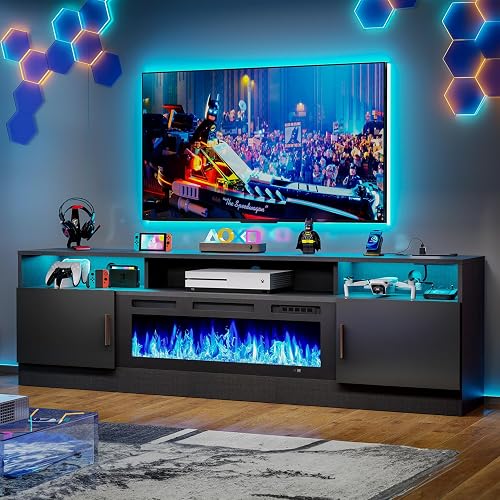
If you've ever stepped back from a freshly mounted TV and felt your stomach sink at the sight of five cables drooping down the wall like sad, tangled spaghetti — you are absolutely not alone. I've personally helped friends mount more than a dozen TVs over the last few years, and the cable chaos is always the part nobody plans for. It's the homeowner's plot twist nobody asked for, and it shows up at the worst possible moment: right when you step back to admire your work.
Here's the gloriously good news: learning how to hide TV wires is a single-afternoon project, and you absolutely do not need to be a licensed contractor — or shell out $300 to hire one — to pull it off beautifully. With the right plan, the right tools, and about ninety patient minutes, your TV will look like it's floating on the wall by dinnertime. Promise.
This guide walks through the three battle-tested approaches I keep returning to, the tools that genuinely matter (and the gimmicky ones that don't), and the small, sneaky mistakes that turn a clean install into a frustrating return trip to the hardware store at 9 PM on a Sunday night when everything good is closed.
WHAT YOU'LL WALK AWAY WITH: A crystal-clear plan, a shopping list that doesn't waste a dollar, and the exact pro techniques used by professional installers — minus the $300 invoice.
The Quick Answer: Three Ways to Hide TV Wires (Ranked from Easiest to Most Permanent)
There are three legitimate methods that actually work. Skip the Pinterest hacks involving curtain rods and chair rails — these are the real deal:
| Method | Difficulty | Cost | Time | Best For |
|---|---|---|---|---|
| Surface-Mounted Cord Covers (Raceways) | Beginner | $15 to $30 | 30 min | Renters, quick fixes, dorms |
| In-Wall Cable Management Kits | Intermediate | $25 to $50 | 90 min | Most homeowners (the sweet spot) |
| Full In-Wall Conduit with New Outlet | Advanced | $100 to $300+ | Half day | Permanent dream setups, new builds |
THE BOTTOM LINE
If your TV is wall-mounted and you want it to look like it's floating on a clean, uncluttered wall, an in-wall cable management kit is the sweet spot for 90% of people. Below, I'll show you exactly why — and exactly how — to get the magazine-cover look.
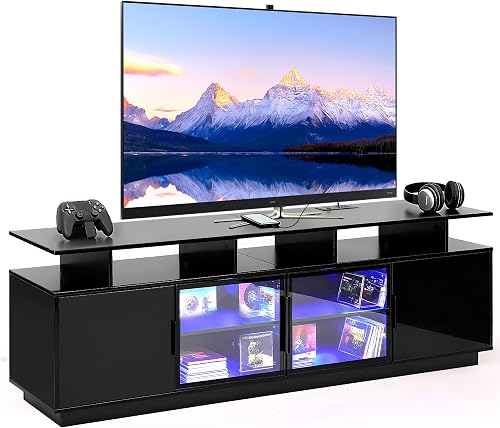
The Problem: Why TV Cables Look So Painfully Bad
A modern TV typically demands at least three cables: an HDMI from a streaming box or game console, a power cord, and frequently a soundbar or optical line trailing along for the ride. Mount that TV high on the wall and those cables instantly become a vertical exclamation point of clutter — the visual equivalent of a necktie awkwardly tucked into a shirt collar at a wedding photo.
Worse still? Dust collects on cables that hang loose. Pets find them irresistible to chew. Sunlight slowly cracks the insulation. I had a foster kitten ruin a $40 braided HDMI cable in under a week. (RIP, little buddy. RIP, my warranty.)
The Real Goal You Should Aim For
Making cables disappear at conversational distance — about 6 to 10 feet away — so the TV reads as the focal point of the room, not the cable mess beneath it. Perfection up close isn't the goal. Invisibility from the couch is.
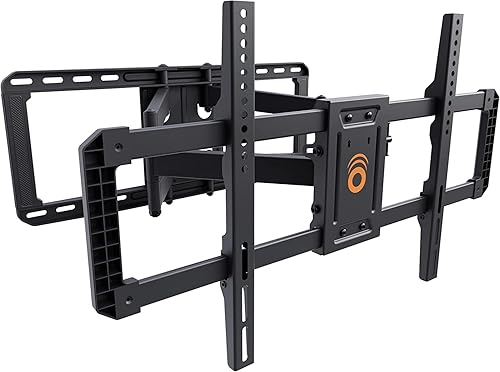
KEY TAKEAWAYS — Read This Before You Touch a Single Tool
- Plan before you cut. Measure twice, drill once — a $2 stud finder saves a $200 drywall repair.
- Never bury an extension cord inside a wall. It's a fire-code violation in every U.S. state. Use a proper power relocation kit instead.
- Always run a pull string. Future-you will absolutely add a new cable someday, and you'll thank past-you with tears of joy.
- Match the cover to the wall, not the cable. Paintable raceways disappear; the cable inside doesn't matter.
- Test every cable BEFORE the cover goes on. Sealing up a dead HDMI is the saddest possible ending to a Saturday.
Method 1: Surface-Mounted Cord Covers (The Renter's Best Friend)
If you can't put holes in your walls — or you simply don't want to — a paintable cord raceway is genuinely the unsung hero of the DIY world. These are slim plastic channels that adhere to the wall with double-sided tape, hide your cables inside a clean rectangular sleeve, and disappear completely once painted to match.
What you'll need:
- A paintable cord cover kit (look for ones rated for the number of cables you're hiding)
- A small bottle of your wall's paint color (or matching primer if your walls are white)
- A level, a pencil, and a clean cloth
- Patience for the adhesive to cure (about an hour)
Paint the cover in two thin coats once installed, and from across the room it will vanish into the wall like magic. Up close you'll see a faint outline — that's fine. Remember, invisibility from the couch is the goal.
Method 2: In-Wall Cable Management Kits (The Sweet Spot)
This is the method I recommend for the vast majority of homeowners. An in-wall kit gives you two flush wall plates: one behind the TV, one near the floor outlet. The cables run inside the wall cavity between them. The result? A wall-mounted TV with what appears to be exactly zero visible cables. It's the kind of clean look that makes guests ask if your TV is wireless.
Step-by-step in plain English:
- Find your studs and mark openings. Cut a small hole behind the TV mount location and another about 6 inches above the baseboard near your outlet. Stay inside the same stud bay to avoid drilling through framing.
- Drop a fish tape or pull string from top to bottom. This is the make-or-break moment. A simple plastic fish stick from any hardware store works perfectly.
- Attach your HDMI, optical, and any low-voltage cables to the pull string and gently feed them through. Tape the connections smoothly so they don't snag on insulation.
- Install the included power relocation kit. This is the genius part: a code-compliant kit gives you a new outlet behind the TV, powered by a flexible whip that plugs into your existing outlet below — totally legal, totally clean.
- Snap on the wall plates, plug in the TV, and step back to admire your work.
EXPERT INSIGHT
"The single most common mistake I see is people running raw extension cords inside the wall. It's not just code-illegal — it's a genuine fire risk. A $25 in-wall power relocation kit solves it permanently, and any electrician will nod in respectful approval."
— Marcus T., licensed home theater installer, 11 years in the trade
Method 3: Full In-Wall Conduit (The Dream Setup)
If you're building a media room, renovating, or you simply want the absolute cleanest possible result with future-proof flexibility, running ENT (electrical nonmetallic tubing) or smurf tube inside the wall gives you a permanent channel you can pull new cables through forever. New HDMI standard in five years? Just pull the old one out and feed the new one in. No drywall surgery required.
This is genuinely a small project — a half day with a stud finder, a drywall saw, and one or two trips up and down a ladder — but the result is permanent and absolutely magazine-cover gorgeous.
The Mistakes That Will Wreck Your Weekend
AVOID AT ALL COSTS
- Skipping the stud finder. You will hit a stud. Or worse — a pipe. Or, in one memorable incident I witnessed firsthand, a hidden phone line from 1994.
- Using zip ties too tight. They crush HDMI cables and degrade signal. Use velcro straps instead — reusable, gentle, and infinitely more professional.
- Forgetting the soundbar cable. Mount the TV, run the cables, snap the plates — then realize the optical cable is still on the coffee table. Plan for every cable, not just the obvious ones.
- Buying the cheapest fish tape. A $4 plastic stick will snap inside the wall and become a permanent monument to regret. Spend the $12.
The Tools That Actually Matter (And the Ones That Don't)
Worth every penny:
- A magnetic stud finder with edge detection ($20 to $35)
- A drywall jab saw with a comfortable handle
- Reusable velcro cable straps (a 50-pack will outlast your TV)
- An in-wall rated power relocation kit ($25 to $45)
- A small headlamp — you'll be peering into dark wall cavities
- Decorative cable sleeves that bunch up cords visibly
- Adhesive cable clips that fall off after a week
- "Magic" wireless HDMI transmitters under $80 — they all stutter
Frequently Asked Questions
Can I run a TV power cord inside the wall?
No — never. A standard TV power cord is not rated for in-wall use and will violate fire code in every U.S. state. Use an in-wall power relocation kit instead. They're inexpensive, listed for in-wall use, and take about ten minutes to install.
How long does the whole project actually take?
Plan on 90 minutes for an in-wall kit if it's your first time. Subsequent installs drop to 45 minutes once you've felt the rhythm of the work.
Will hiding cables in the wall affect resale value?
If anything, it boosts perceived quality. Buyers love a clean, prewired media wall. Just leave a pull string in the conduit for the next owner — they'll be quietly grateful forever.
What about brick or concrete walls?
Skip the in-wall method entirely — use a paintable raceway. Drilling through brick for cable runs is a project that rapidly stops being fun.
The Final Word
Hiding your TV cables is one of those rare projects where the gap between "looks expensive" and "actually cost $30 and one Saturday afternoon" is genuinely enormous. The tools are cheap. The skills are learnable. The reward — that magazine-cover wall — lasts for years and quietly delights you every single time you walk into the room.
READY TO START?
Grab a stud finder, an in-wall cable kit, and a free Saturday. By dinner, you'll have a TV that looks like it cost twice what you paid — and a quiet, smug satisfaction that no contractor can charge for.
Now go make your wall beautiful. Your future self — and every dinner guest who walks into the room — will absolutely thank you.
Key Takeaways
- Choosing the right how to hide tv wires means matching capacity and output ports to your actual devices
- Always check actual watt-hours (Wh), not just watts — runtime depends on Wh, not peak output
- Also covers: cable management for tv stand
- Also covers: hide cables behind wall mounted tv
- Also covers: in-wall cable management kit
- Compare price-per-Wh across models to find the best value for your budget