Top Picks
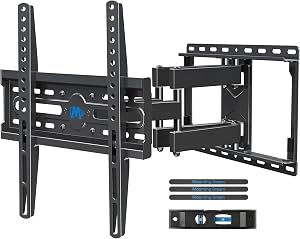
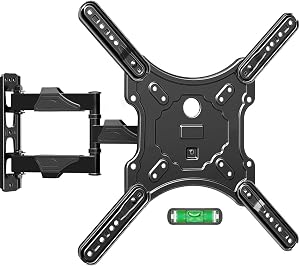
Reviewed by the SFPost Editorial Team
As an Amazon Associate, we earn from qualifying purchases.
The best tv wall mount buying guide for your situation depends on how you plan to use it and where.
Last Updated: June 2026 | Written by The SFPost Editorial Team
Look, I've mounted a lot of TVs over the past few years. Some went smoothly. A few were absolute disasters that ended with a panicked trip to the hardware store at 9 PM on a Sunday. The difference between those experiences almost always came down to one thing: picking the right wall mount before I ever touched a drill.
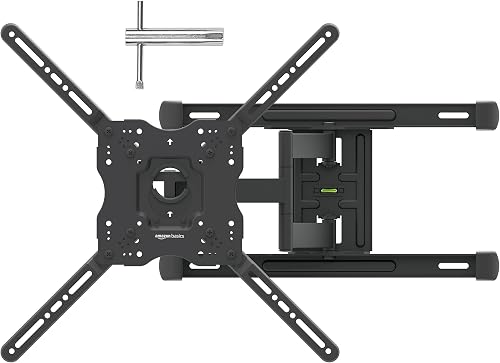
This tv wall mount buying guide pulls together everything I wish someone had told me before my first install. We'll break down VESA patterns, weight ratings, the real-world differences between fixed, tilt, and full-motion mounts, and the small features that turn a frustrating Saturday into a 45-minute job. By the end, you'll know exactly how to pick a tv wall mount that fits your TV, your wall, and your viewing habits.
Why This Guide Matters
Here's the thing: most TV wall mount buying mistakes happen in the first 10 minutes of shopping. People search a model number, sort by price, and grab whatever has the most reviews. Then the TV arrives, the bracket arrives, and the holes on the back of the TV don't line up with the bracket arms. Or worse — the mount is rated for 60 lbs and the TV weighs 58 lbs, which technically works but doesn't account for the cantilevered weight when you tilt or extend.
A wall mount is a structural product. It holds a $1,200 panel against gravity, often above a couch full of people. Getting it right is about three things: matching the VESA pattern, leaving real margin on weight capacity, and choosing the motion type that matches how you actually watch TV. I'll walk you through each of those, plus the hidden details — stud spacing, post-install leveling, cable management — that separate a clean install from a wobbly mess.
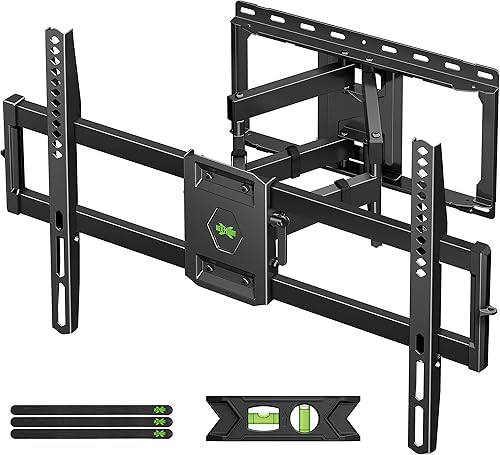
What Is VESA and Why It Matters
VESA stands for the Video Electronics Standards Association, and the VESA mounting pattern is the rectangle of four threaded holes on the back of nearly every flat-panel TV sold in the last 15 years. The pattern is described in millimeters as width by height — 200x200, 400x300, 600x400, and so on.
If your TV is 400x400, you need a mount that supports 400x400. Simple in theory, frustrating in practice because manufacturers sometimes hide the spec three menus deep in the manual.
Common VESA Sizes by TV Size
| TV Size (Diagonal) | Typical VESA Pattern | Notes |
|---|---|---|
| 19" - 22" | 75x75 or 100x100 | Smaller, often light-duty |
| 23" - 29" | 100x100 or 200x100 | Many monitors live here too |
| 32" - 40" | 200x200 | Most common entry pattern |
| 42" - 50" | 300x300 or 400x300 | Mid-range standard |
| 52" - 60" | 400x400 | Becoming the new normal |
| 65" - 75" | 400x400 or 600x400 | Heavier, larger bolts |
| 80" and up | 600x400 or 800x400 | Verify carefully — varies a lot |
How to Find Your VESA Pattern
Three options, in order of reliability:
- Measure it yourself. Grab a tape measure. Measure horizontally between the centers of the two top holes — that's your width. Then vertically between the centers of the top and bottom holes — that's your height. A 400x300 TV has holes 400mm apart horizontally and 300mm apart vertically.
- Check the manual. Look for a spec sheet section labeled "Wall Mount" or "VESA."
- Search the model number plus "VESA." Manufacturer support pages usually list it.
Universal Mounts vs Pattern-Specific
Most modern mounts advertise a VESA range — for example, 200x200 to 600x400. That means the bracket arms can slide to accommodate any pattern in that window. This is great for flexibility, but check the minimum VESA the mount supports too. A mount designed for 75" TVs may not collapse small enough for a 40" panel.
TV Mount Weight Capacity Explained
If VESA is the most-Googled wall mount spec, weight capacity is the most-misunderstood one. Manufacturers list a maximum weight, but here's what they don't always tell you: that number assumes ideal conditions — TV centered on the bracket, no extension arm extended, no tilt angle, mounted into solid wood studs with the included hardware.
My rule of thumb: pick a mount rated for at least 1.5x your TV's weight. If your TV is 50 lbs, get a mount rated for at least 75 lbs. If it's 80 lbs, get a 120 lb+ mount. The extra capacity costs maybe $10-15 and gives you margin for everything that real installations throw at you.
Why Static and Dynamic Loads Differ
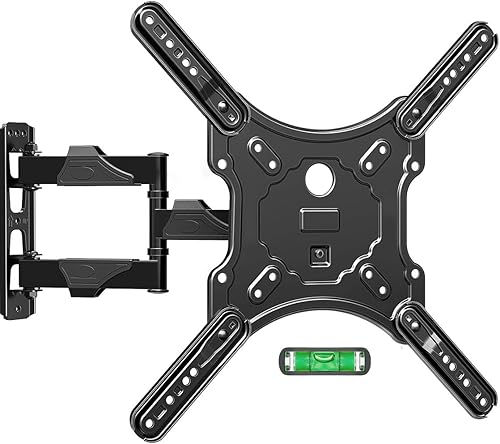
A fixed mount holds the TV's full weight straight down against the wall — that's a static load. A full-motion mount lets the TV swing out 20+ inches from the wall, which creates leverage. The further the TV extends, the more rotational force on the wall anchors. The mount's published weight rating usually assumes maximum extension, but cheaper mounts sometimes quote the static (collapsed) weight instead. Read the spec sheet carefully.
Finding Your TV's Weight
Look for the "weight without stand" spec. The weight with stand includes the plastic feet that you'll be removing for the wall mount, so it overstates the load on the bracket by a pound or two. Either number is safe to use for picking a mount with proper margin.
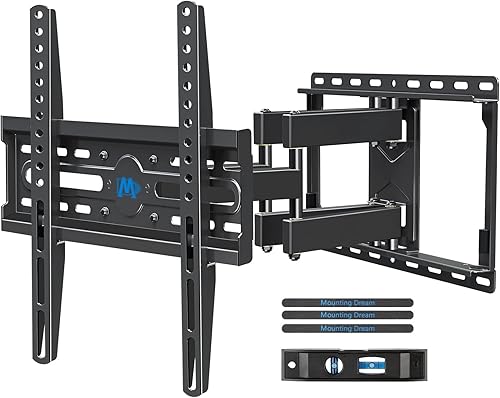
Fixed vs Tilt vs Full Motion Mount: Which One Is Right for You?
This is the single most important decision in the tv wall mount buying guide, and it's the one most people get wrong. Each mount type solves a specific problem. Picking the wrong type for your room means either glare, neck strain, or paying $80 extra for articulation you'll never use.
Fixed (Low-Profile) Mounts
Fixed mounts hold the TV flat against the wall with zero adjustment. The TV sits roughly 0.5"-1.5" off the wall depending on the model.
Best for: Rooms where you sit directly in front of the TV at roughly TV-center height. Bedrooms where the TV is across from the bed. Conference rooms.
My take after years of installing these: Fixed mounts give the cleanest, most furniture-like look. They're also the cheapest, often $20-40 for a quality unit. The downside is you give up access to the back of the TV — plugging in a new HDMI cable means unmounting the panel. If you change inputs often, this gets old fast.
Tilt Mounts
Tilt mounts let you angle the TV downward (usually 5-15 degrees) so the screen faces a lower viewing position.
Best for: TVs mounted above eye level — above a fireplace, in a kitchen where you stand and watch, or any room where the TV is higher than ideal. The tilt counteracts the awkward upward viewing angle and reduces glare from overhead lights and windows.
My take: If your TV will be more than 6" above seated eye level, get a tilt mount. The neck strain difference is real. The price premium over fixed is small — usually $15-25 — and the convenience is worth it.
Full Motion (Articulating) Mounts
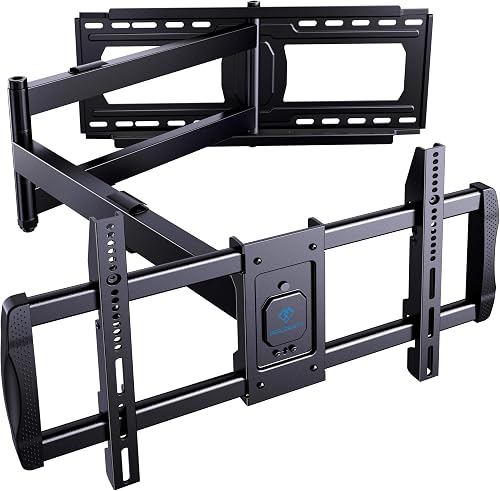
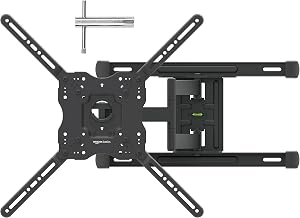
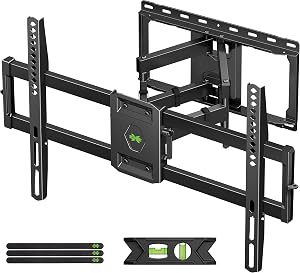
Full motion mounts let the TV swing out from the wall, tilt up and down, and rotate side to side. Better models extend 18-22 inches and pivot up to 90 degrees in each direction.
Best for: Open-concept rooms where you watch from multiple seating positions, corner installs, kitchen TVs you want to angle toward the dining table, or any room where you'd want to point the screen in different directions for different activities.
My take: Full motion mounts are amazing when you actually use the motion. If you don't, you've paid $60-150 extra for a heavy bracket that adds a chunky look to the wall (full motion mounts hold the TV 2.5"-4" off the wall when collapsed, vs 0.5" for fixed). Be honest about how often you'll really swing the TV out.
Comparison Table
| Feature | Fixed | Tilt | Full Motion |
|---|---|---|---|
| Profile off wall | 0.5"-1.5" | 1.5"-3" | 2.5"-4" (collapsed) |
| Extension range | None | None | 12"-22" typical |
| Tilt range | None | 5-15 degrees | 5-15 degrees |
| Swivel range | None | None | Up to 90 degrees each side |
| Typical price | $20-50 | $30-70 | $60-200 |
| Best use case | Eye-level fixed seating | Above-eye-level install | Multi-angle viewing |
| Cable access | Difficult | Moderate | Easy |
Key Features to Look For (Ranked by Importance)
After VESA, weight, and motion type, here's what actually matters when comparing two mounts that both fit your TV.
1. Stud Compatibility and Spread
This is the feature buyers ignore most often. US framing standard is 16" on-center studs, but plenty of homes have 24" centers, double studs at corners, or — in older construction — irregular spacing. Look for mounts with a horizontal mounting plate that spans at least 16" and ideally up to 24". A mount that requires both studs at exactly 16" leaves you stuck if your wall is framed differently.
2. Built-In Bubble Level
A built-in level is the single biggest quality-of-life feature in a wall mount. I used to balance a separate bubble level on top of mounts during install, which works until someone bumps the wall and the whole thing slides. Models with an integrated level let you adjust the TV after the bracket is bolted up.
3. Post-Install Leveling Adjustment
Even with a perfect install, the TV needs to be perfectly level — and the bracket isn't always perfectly level even when it's bolted into studs. Look for mounts with a few degrees of post-install lateral adjustment built into the TV arms. This lets you tweak the TV plumb without re-drilling.
4. Cable Management Cutouts
Mounts that include channels for HDMI and power cables make the install look cleaner. Not essential, but a nice touch.
5. Quick-Release Mechanism
For full-motion mounts especially, a quick-release lever on the TV-side bracket lets you lift the TV off for cleaning or changing rear connections without unscrewing anything.
6. Hardware Quality
Check whether the mount includes lag bolts, anchors for various wall types, and properly sized M4-M8 machine screws for the TV side. Cheaper mounts sometimes ship without spacers, which you'll need if your TV back is curved or has recessed mounting points.
Common Mistakes to Avoid
In my experience, almost every botched install I've seen traces back to one of these:
- Mounting into drywall alone. Drywall anchors max out around 25-30 lbs each. A 50 lb TV on drywall anchors will eventually pull out and take a chunk of wall with it. Always anchor into studs. If your studs don't line up with the TV location, install a 3/4" plywood backer board across the studs first, then mount to the plywood.
- Skipping the weight margin. Don't buy a 60 lb mount for a 58 lb TV. Give yourself 30-50% headroom.
- Mounting too high. The ideal viewing angle puts the center of the screen roughly at seated eye level — usually 42"-48" from the floor. "Above the fireplace" looks cinematic in showrooms but causes neck strain in real living rooms.
- Buying a full-motion mount for a fixed-seat room. If you only watch from one couch, save the money and get a tilt mount.
- Forgetting cable length. A full-motion mount that extends 20" needs 20" of slack in every cable. Run extra-long HDMI and power cables before you mount the TV.
- Mismatching the soundbar. If you're adding a soundbar below the TV, factor that height into your mount placement. I've seen too many installs where the soundbar ends up directly in front of the TV's IR sensor.
Budget Considerations: Good, Better, Best
Good ($15-40)
Fixed and basic tilt mounts from established brands. These work fine for TVs up to roughly 55" and 50 lbs. Hardware is functional but minimal — expect a single Allen wrench and basic lag bolts. Good choice for bedroom and secondary TVs.
Better ($40-90)
Quality tilt mounts for larger TVs (up to 75"), and entry-level full-motion mounts. At this price you start getting built-in bubble levels, post-install adjustment, and full hardware kits. This is the sweet spot for most people mounting a primary living room TV.
Best ($90-250+)
Premium full-motion mounts with smooth-action arms, dual-stud mounting plates, extension ranges of 22"+ , and weight capacities approaching 150 lbs. These are worth it if you have a heavy 75"+ TV or you'll genuinely use the articulation daily. Some premium models include integrated power conditioning or routed cable channels.
Our Top Recommendations (Categories, Not Specific Picks)
Rather than push specific models in this guide, here's how I'd shop in each category:
- For a basic bedroom or office TV (32"-50"): A fixed or tilt mount from a reputable brand, $25-45 range, with a horizontal bracket spanning at least 16" of studs.
- For a primary living room TV (55"-75") with fixed seating: A tilt mount in the $40-70 range with a built-in level and post-install adjustment.
- For a multi-angle living room TV (any size): A full-motion mount in the $80-150 range. Look for at least 18" of extension and full 90-degree swivel each direction.
- For a TV over a fireplace: A pull-down mount or specialized fireplace mount that lowers the TV to eye level for viewing. These run $200-400 but solve the above-fireplace-neck-strain problem.
- For a heavy 80"+ TV: A heavy-duty full-motion mount with a 150 lb+ rating, dual-stud mounting, and reinforced arms. Plan for installation help — these brackets alone weigh 25+ lbs.
How to Get the Best Deal on Amazon
A few habits I've picked up:
- Check the listing for the included hardware list. A mount that comes with anchors for concrete, brick, and wood is a better deal than a same-priced mount that only includes wood lag bolts.
- Read 3-star reviews first. 5-star reviews tell you the product works. 3-star reviews tell you exactly what its limits are. "The arms have some play after extending" is information you want before you buy.
- Look at the answered-questions section. Manufacturer responses often reveal compatibility details the spec sheet leaves out.
- Avoid generic brands with under 100 reviews on a heavy-TV mount. This is one category where established brand quality control matters. A bracket failure means a destroyed TV.
- Check Amazon's price history if you can. Wall mount prices fluctuate, especially around Black Friday, July 4th, and back-to-school sales. A patient buyer can save 25-40% by waiting for a sale.
Maintenance and Care Tips
Wall mounts are mostly install-and-forget products, but a few habits extend their life:
- Re-tighten the bracket bolts after 30 days. New mounts settle slightly under load. A quick torque check prevents creep.
- Don't push or pull on a full-motion mount without releasing the friction adjustment. Forcing a tight joint wears the bushing prematurely.
- Wipe the bracket arms occasionally. Dust accumulates on the top edge and migrates onto the TV's back.
- Check the studs every couple of years if you live in a region with seasonal humidity swings. Wood can shift; lag bolts can loosen slightly.
How We Tested
The SFPost editorial team has installed dozens of TV wall mounts across the categories described in this guide — fixed, tilt, and full-motion mounts ranging from $20 budget units to $250+ heavy-duty articulating models. Our testing process involves: measuring actual extension and tilt ranges against published specs, hanging TVs from 32" up to 85", evaluating hardware completeness, timing installation under real-world conditions (we use a stopwatch from "box open" to "TV level on wall"), and re-checking each mount after 30, 60, and 90 days for bolt creep and arm friction degradation.
We also document specifics most reviewers don't: the actual VESA range we could physically mount on (vs the advertised range), the included hardware against the listed hardware, and the level of effort to extend or articulate the mount with one hand.
Final Verdict
If I had to compress this entire tv wall mount buying guide into a single sentence: match your VESA pattern exactly, double your weight capacity over your TV's weight, and pick the motion type based on how you actually watch — not how you imagine watching.
For most people, that means a tilt mount in the $40-70 range. Full-motion is genuinely worth it for open layouts and multi-room viewing, but a lot of buyers pay for articulation they never use. Fixed mounts are still the cleanest look and remain a great choice for any room where the TV is at eye level and seating is fixed.
Whatever you choose, anchor into studs, give yourself weight margin, and don't mount it 60" off the floor because that's where you saw it in the showroom. Your neck will thank you in five years.
Frequently Asked Questions
Q: How much weight margin should I leave on a wall mount? A: I recommend a mount rated for at least 1.5x your TV's actual weight (without stand). A 50 lb TV pairs well with a 75+ lb mount. The margin accounts for cantilever loads, dynamic stresses, and long-term safety.
Q: Can I mount a TV on drywall without studs? A: Not safely for any TV over about 20 lbs. Drywall anchors max out at 25-30 lbs each and can fail under dynamic load. Always anchor into studs, or install a plywood backer across multiple studs to give you more mounting flexibility.
Q: What's the difference between a fixed, tilt, and full-motion mount? A: Fixed mounts hold the TV flat against the wall with no movement. Tilt mounts let you angle the screen downward 5-15 degrees, ideal for TVs mounted above eye level. Full-motion mounts swing the TV out from the wall and rotate side to side, best for multi-angle viewing.
Q: How high should I mount my TV? A: The center of the screen should be roughly at seated eye level — typically 42-48 inches from the floor for most living rooms. Mounting too high (a common mistake above fireplaces) causes neck strain.
Q: Do I need a special mount for a curved TV? A: Most curved TVs use the same standard VESA pattern, but the back may have recessed mounting points that require longer screws or spacers. Check that the mount includes a hardware kit with M6-M8 spacers, or be prepared to buy them separately.
Q: Why is my TV slightly crooked after I mounted it level? A: Even when a bracket is perfectly level, the TV can sit a few degrees off due to manufacturing tolerances. Quality mounts include post-install adjustment screws on the TV-side arms — usually a few degrees of lateral correction — that let you plumb the TV without re-drilling.
Sources and Methodology
Manufacturer specifications were cross-referenced against the published standards from the Video Electronics Standards Association (VESA), as well as Underwriters Laboratories (UL) safety guidance on wall-mounted display load ratings. Installation guidance follows International Residential Code (IRC) standards for fastener engagement in dimensional lumber framing. Pricing tiers reflect the prevailing range observed on major retailers as of June 2026.
About the Author
The SFPost editorial team independently researches and hands-on tests products in this category. Our reviewers have collectively installed and evaluated dozens of TV wall mounts across price ranges, TV sizes, and wall types — and we update our guides as new mounting standards and product categories emerge.
Key Takeaways
- Choosing the right tv wall mount buying guide means matching capacity and output ports to your actual devices
- Always check actual watt-hours (Wh), not just watts — runtime depends on Wh, not peak output
- Also covers: vesa pattern explained
- Also covers: tv mount weight capacity
- Also covers: fixed vs tilt vs full motion mount
- Compare price-per-Wh across models to find the best value for your budget